Back to BudgetLabs
Product Tour

See BudgetLabs before you sign up

Five screens, no account required. This is the actual app — the same zero-based loop you'd run every month: plan it, log it, import the rest, and let the Lab tell you what it means. $1.99/month or $19.99/year when you're ready; the free tier runs the full core loop.

Step 1 · Plan

Give every dollar a job

BudgetLabs is zero-based: income minus expenses and savings should land on exactly $0. The dashboard does that math for you in real time — the Plan Status card tells you the moment your month is fully assigned, and the progress bars show how each category is pacing against the day of the month.
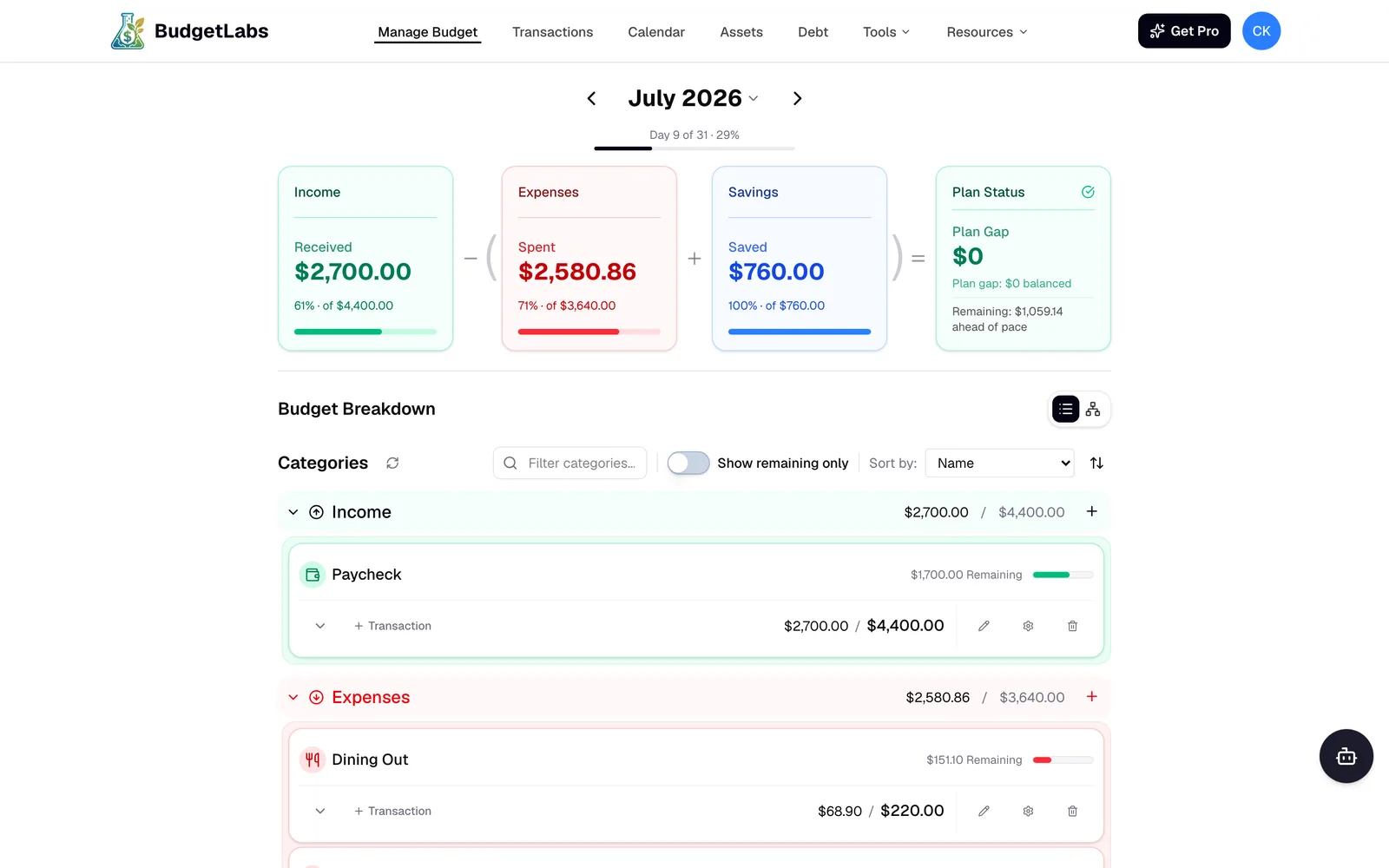
BudgetLabs dashboard showing a balanced July budget: income, expenses, and savings cards with a $0 plan gap and per-category progress bars
Step 2 · Log

Add spending in seconds

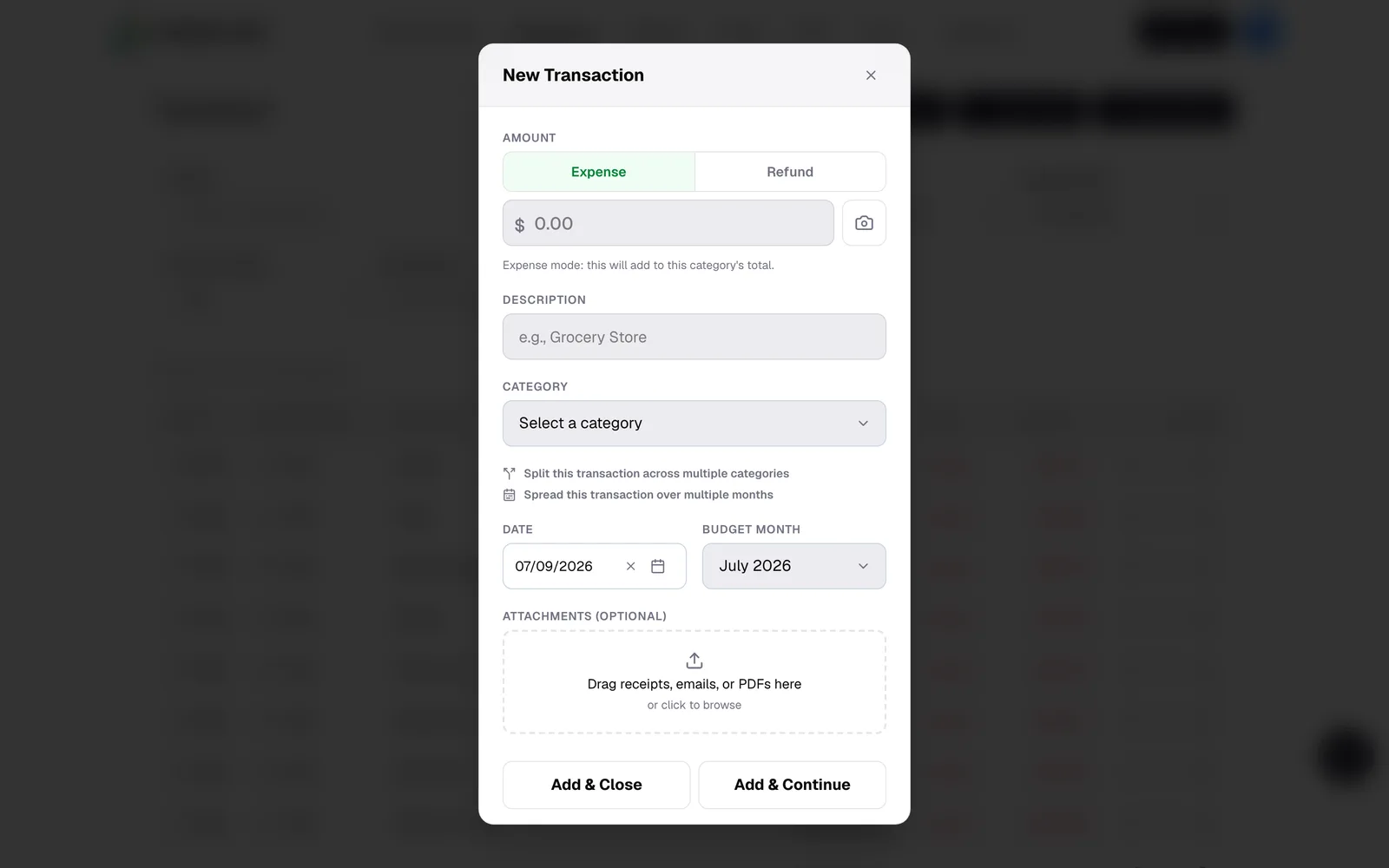
One modal, no hunting: amount, description, category, done. Split a single purchase across categories, spread a big expense over multiple months, or drag a receipt straight onto the transaction. The small friction of confirming each expense is the point — it keeps you deciding, not just watching.

New Transaction modal with amount, description, category, split-across-categories option, and receipt drag-and-drop
Step 3 · Import

Or paste your whole statement

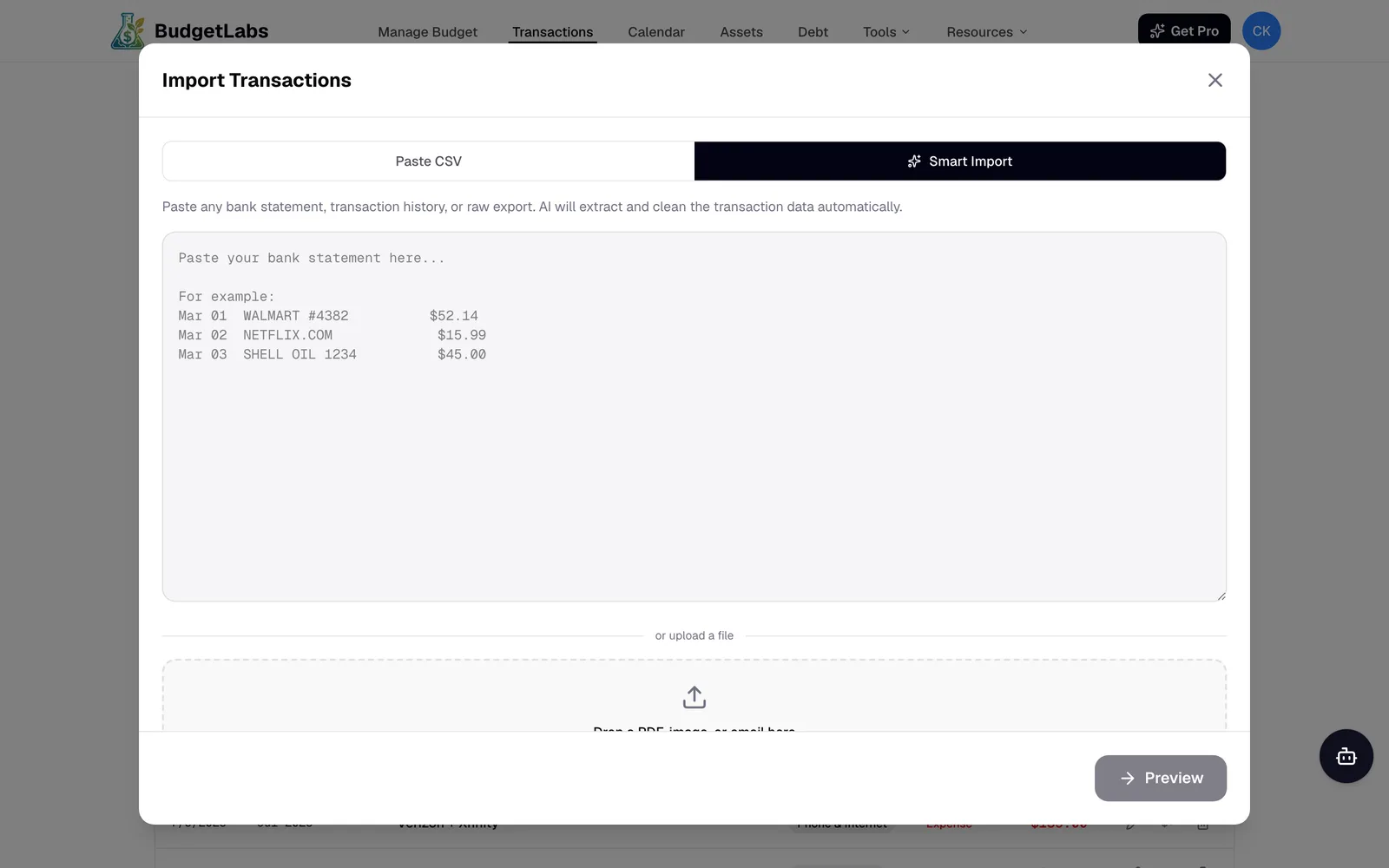
Smart AI Import takes raw bank text, a CSV, a PDF, or even a screenshot, and turns it into clean transactions. You review the rows and approve them — semi-manual by design. You get ~90% of the speed of bank sync while staying engaged with every dollar.

Smart Import modal: paste any bank statement and the AI extracts and cleans the transaction data for review
Step 4 · See

Read your month at a glance

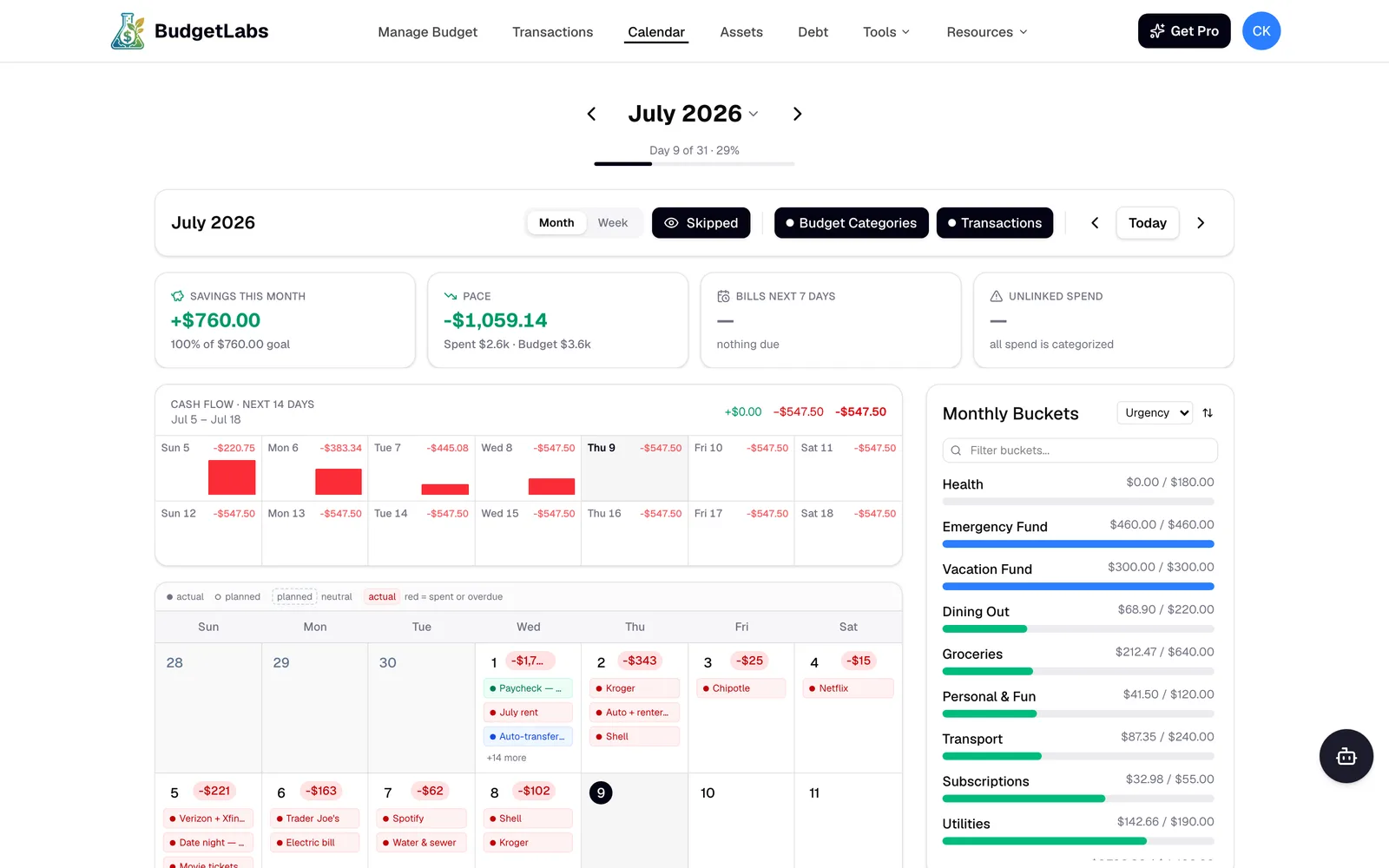
The calendar view lays your plan on real days: what hit, what’s coming in the next 14 days of cash flow, and how each monthly bucket is filling. Bills stop being surprises when they’re sitting on the same grid as your paychecks.

BudgetLabs calendar view with daily transactions, a 14-day cash-flow strip, and monthly bucket progress bars
Step 5 · Learn

Let the Lab read the numbers back to you

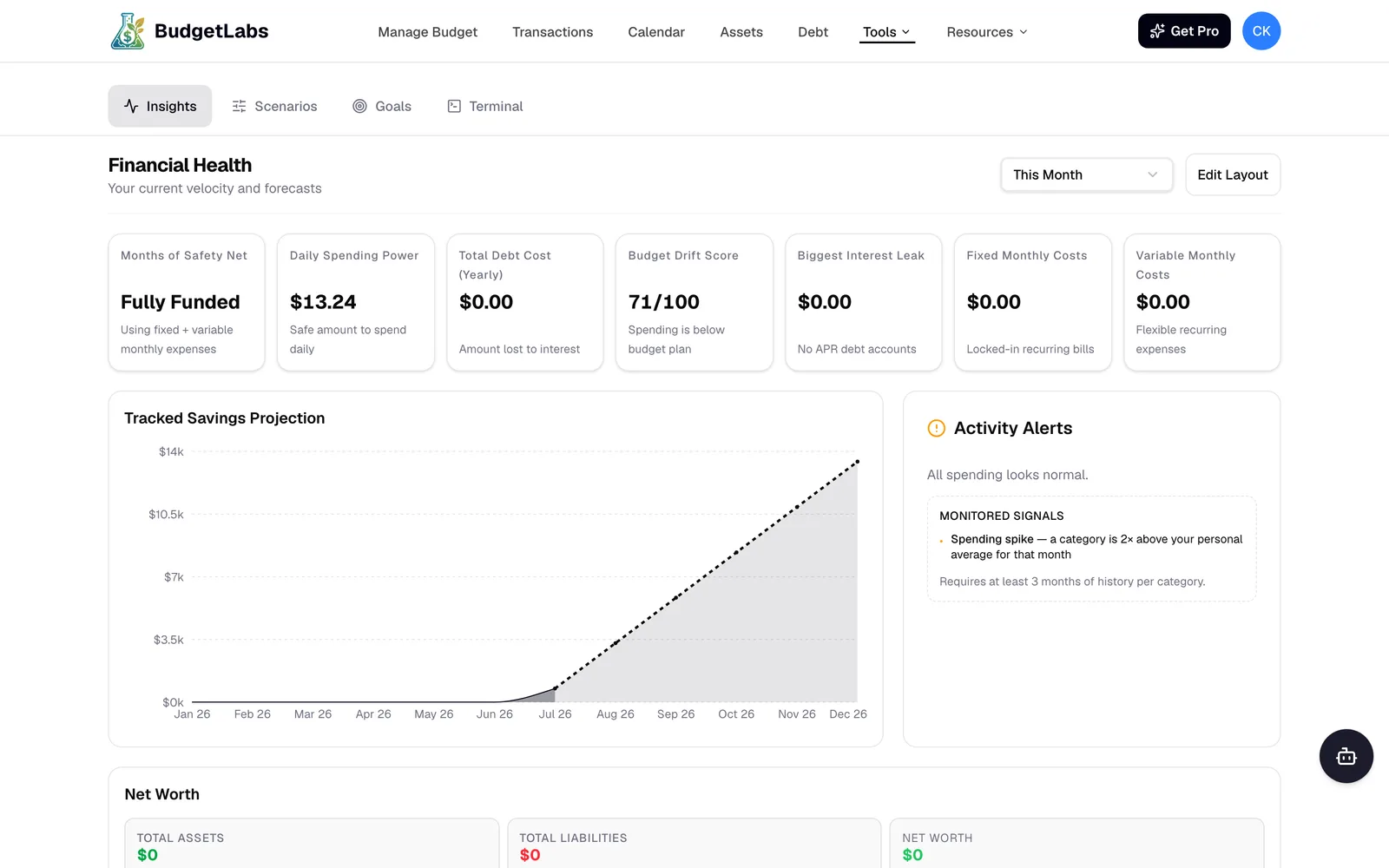
The Lab turns your history into answers: how many months of safety net you have, what’s safe to spend per day, whether your spending is drifting off plan, and where your savings line is headed by December.

BudgetLabs Lab insights: months of safety net, daily spending power, budget drift score, and a tracked savings projection chart

Two minutes from here to a working budget

Sign up free, answer a couple of onboarding questions, and the dashboard you just saw is yours — on iPhone, iPad, Mac, and the web. Android is on the roadmap.